Static Comics Get Likes. Moving Comics Get Reach — and Sales.
Comic-to-Video turns any comic you build into a ready-to-paste shot-by-shot motion prompt for Kling, Runway and Sora — one shot per panel, complete with camera moves and timing. Same five-minute workflow, whole new output.
Please read firstHow Comic-to-Video works
Just like the main app, this is a prompt generator — it writes the perfect video prompt for you. It does not render the video itself. Here's exactly what you get:
✅ What it DOES
- Turns your comic into a ready-to-paste motion/storyboard prompt
- Writes shot-by-shot direction — camera moves & timing, one shot per panel
- Phrases it for Kling, Runway, Sora or a universal format
- Saves you from writing complex video prompts by hand
❌ What it does NOT do
- It does not render, create or export the actual video
- It does not stitch clips into one finished reel
- It's not a one-click "storyboard → render → export" system
- You paste the prompt into an AI video tool (Kling/Runway/Sora), which does the rendering — those tools have their own accounts & costs
In short: you get the prompt, the video tool makes the clip. If you need software that renders and exports finished reels by itself, this upgrade isn't that — and that's okay, we'd rather you know before you buy. 🙂
Picture ThisYour Etsy Listing Plays. Your Book Has a Trailer. Your Reel Takes Off…
Etsy listings with video stand out instantly in search. KDP books with a short trailer ad stop the scroll. And Reels/TikTok/Shorts are where the free reach lives right now. One click turns the comic you already made into all three.
Video is the algorithm's favourite child
Every major platform pushes short video hardest. Your competitors post static images; you post the same joke moving — with cameras, timing and a punchline that lands on beat.
Why Most Comic Sellers Never Make Video
🎥 Directing is a skill
Camera moves, shot order, pacing — most sellers don't know where to start, so they never start.
⏱️ Timing is fiddly
How long is each scene? When does the punchline land? Guesswork produces awkward clips.
🧾 Every tool wants different input
Kling, Runway and Sora each respond to different phrasing. Writing three versions by hand is a chore.
Comic-to-Video does the directing for you — beats, cameras, timecodes and tool-specific phrasing, all automatic.
Everything Inside Comic-to-Video
- Shot-by-shot prompts — one motion shot per comic panel (1, 2, 4 or 6)
- Story beats built in — establishing → setup → escalation → complication → peak → punchline
- Camera direction per shot — push-ins, whip pans, top-down dollies, face zooms
- Timecodes per shot — a clean ~4s rhythm (6 panels ≈ a 24-second clip)
- Tool-tuned output — Kling, Runway (Gen-3), Sora, or a Universal format
- Mascot integration — your OTO 2 character stars in every video automatically
See It In ActionFrom Comic to Storyboard in One Click
Build a comic as usual
Style, character, scenario — and a panel layout. The layout decides how many shots you get.
Pick your video tool
Kling, Runway, Sora or Universal — the output is phrased for that tool.
Generate & paste
One click produces the full shot list. Paste it into your video tool and render the clip.
The actual output structure — a 6-panel comic becomes a ~24-second, 6-shot storyboard.
Where It PaysVideo That Sells Your Listings, Posts & Books
This isn't video for video's sake — every clip has a job: pulling buyers to your Etsy shop, your social posts, and any books you publish.
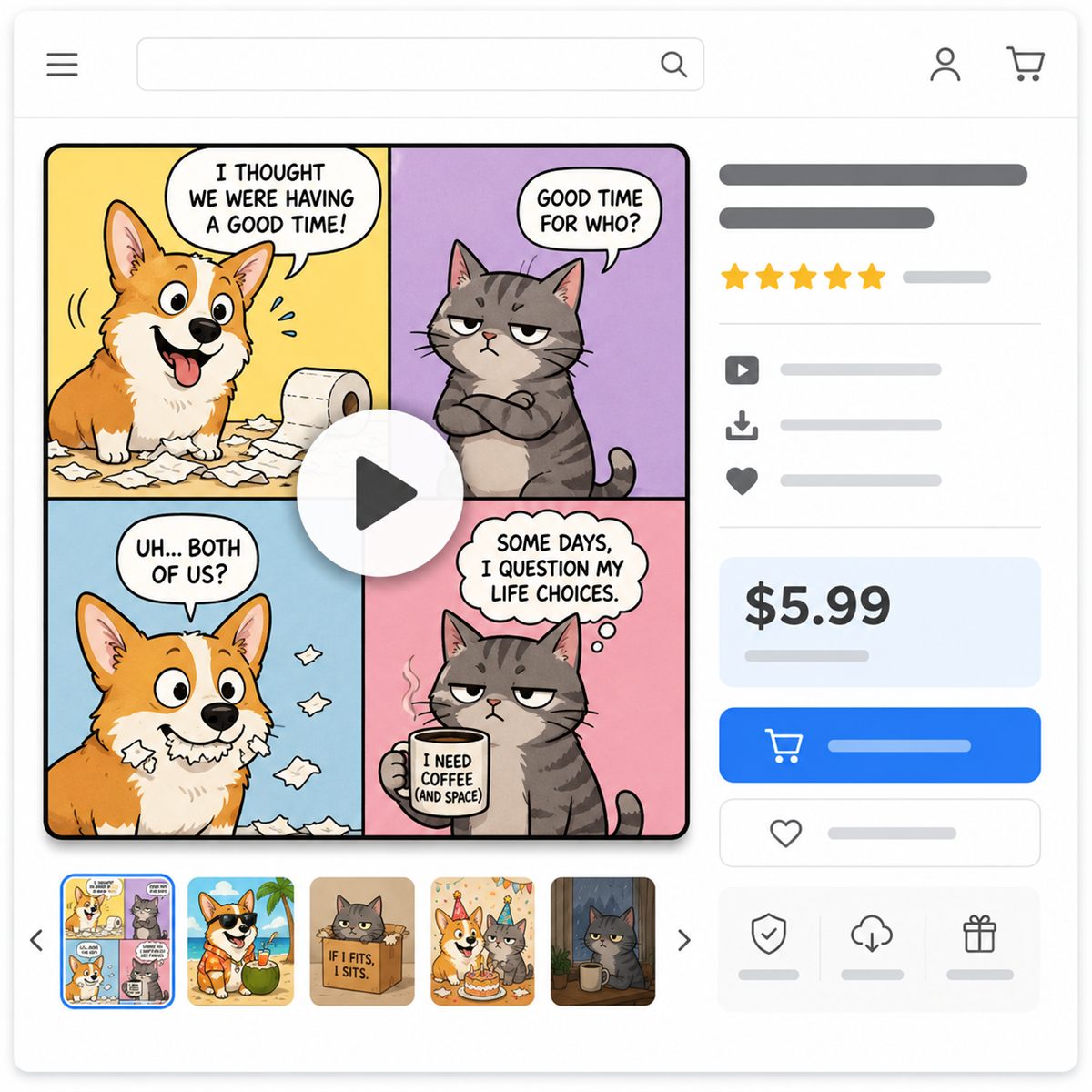
🧵 Etsy: listings that move
Etsy lets you add a video to every listing — and animated listings stand out in a grid of static thumbnails. Turn your best-selling sticker gag into a 10-second loop and let it stop the scroll for you.
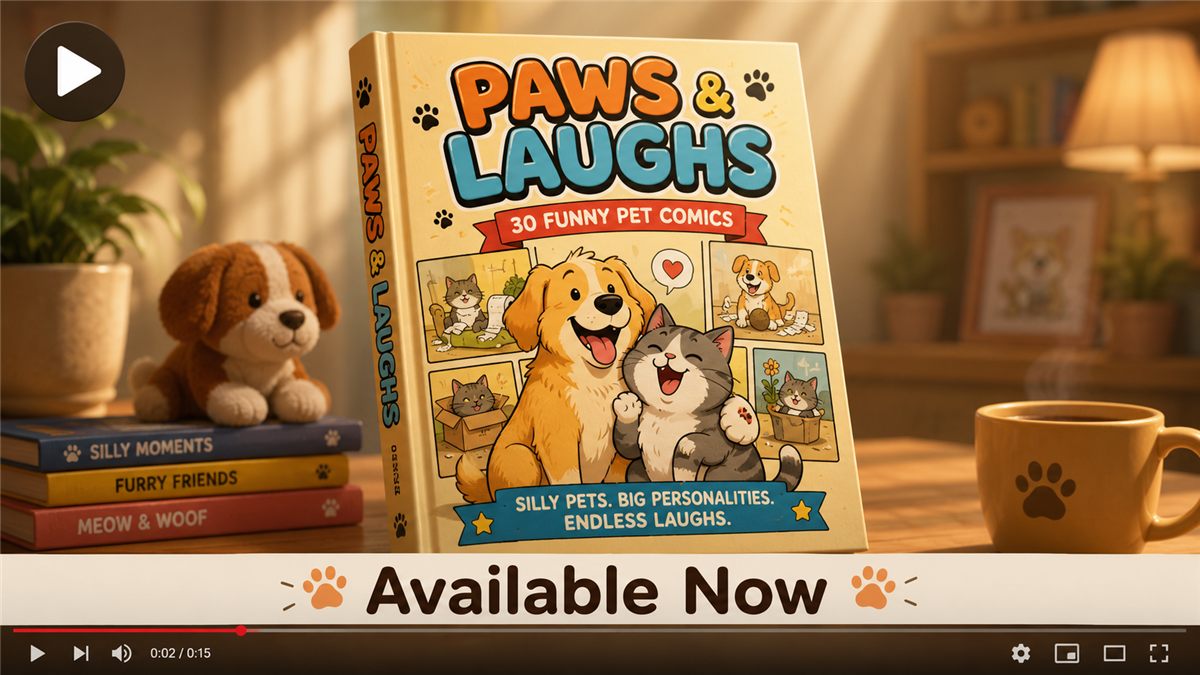
📖 KDP: give your book a trailer
Animate one comic from the book, end on the cover, and you have a ready-made ad for Facebook, Instagram and TikTok — the exact channels where gift-book buyers scroll.
🗓️ One Comic, Three Jobs
| Output | Where it goes | What it does |
|---|---|---|
| Static comic | Etsy product / KDP book page | The product itself |
| 10s loop | Etsy listing video | Stands out in search results |
| 24s clip | Reels · TikTok · Shorts | Free reach → traffic to your shop |
Before vs. After
🖼️ Static only
- Images compete in crowded feeds
- Etsy listings look like everyone else's
- No trailer, no video ads
- Short-video reach left on the table
🎬 With Comic-to-Video
- The same jokes, now moving
- Listings with video stand out
- Every book gets a ready-made trailer
- Reels & TikTok funnel buyers to you
Complete Your Studio With the Motion Layer
- Shot-by-shot video prompts — one shot per panel
- Camera moves, story beats & timecodes, all automatic
- Kling · Runway · Sora · Universal formats
- Works with your OTO 2 mascot automatically
- Unlocks automatically when you sign in
No subscription · Yours forever
🎬 Yes — Add Comic-to-VideoWhat Upgraders Are Saying



GUARANTEE
Same Risk-Free Promise
Try Comic-to-Video for 3 days. If it doesn't open the video channel for you, email brainoreviewer@gmail.com for a friendly refund.
Quick FAQ
- How do I get access?
- After purchase, just sign in to the app with the email you bought with and your license key — the Comic-to-Video panel then unlocks automatically. (Your receipt links you to a page to grab your key.)
- Does it create/render the video for me?
- No — it creates the video prompt (the full storyboard). You paste it into Kling, Runway, Sora or another AI video tool, and that tool renders the clip. This is a prompt generator, not a video renderer or editor.
- Is it a one-click "storyboard → render → export" system?
- No. It's one click to the prompt. The rendering, exporting and any editing happen in your chosen AI video tool.
- Does it make one full 45–60 second reel in a single generation?
- No. It produces a prompt for a short clip, or a shot-by-shot storyboard (one shot per panel). Actual clip length is set by the video tool you use — most AI video tools currently render short clips (a few seconds each).
- Does it automatically combine the clips into one finished reel?
- No — it doesn't stitch or export. Once your video tool renders the clips, you'd combine them in any simple video editor (CapCut, etc.).
- Do I need a paid video tool?
- You need access to an AI video generator (Kling/Runway/Sora or similar). Several offer free tiers to start; check each tool's current pricing.
- Do I need the front-end app?
- Yes — this upgrade unlocks inside Pet Comic Prompt Studio.
- Does it work with my OTO 2 mascot?
- Yes — if your mascot is active, it stars in every video prompt automatically.
- Is it a one-time price?
- Yes. Pay once, keep it forever. No recurring fees.